Notifications
The Notifications screen displays the system and operation notifications that alerts users with these different types of messages — Error, Warning, and Information. The notifications are sent to the respective users based on the settings configured for System, Administration, and Operation services.

Viewing notification details
To view notification details, follow these steps:
-
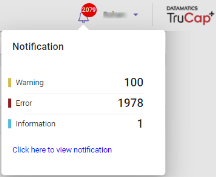
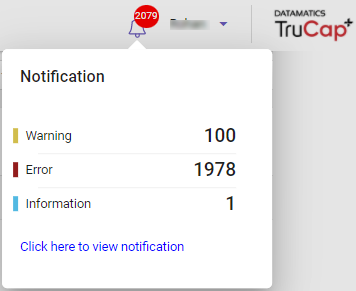
On the top-right corner of TruCap+, hover over the
 bell icon. The notification drop-down list appears as shown in the following figure.
-
Click the Click here to view Notification link, to view the detailed list.
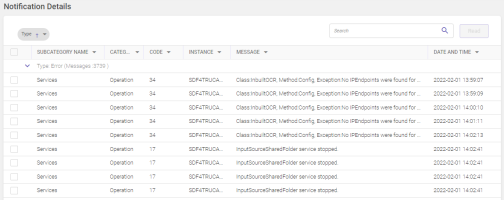
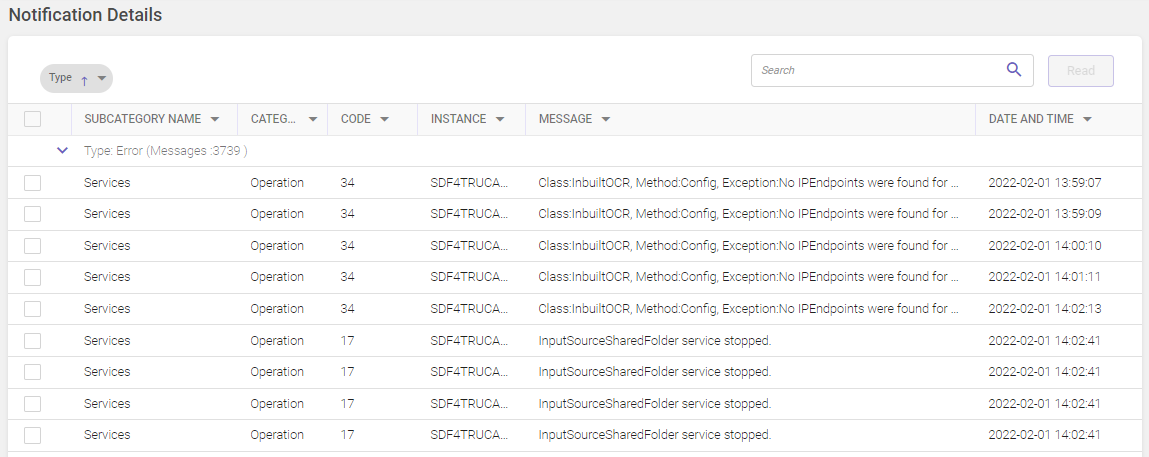
The details of each column are given as follows:
|
COLUMN NAME |
DESCRIPTION |
||||||||||||||||||||||||||||||||||||||||||||||||||||||||||||||||||||||||||||||||||||||||||||||||||||||||||||||||||
|---|---|---|---|---|---|---|---|---|---|---|---|---|---|---|---|---|---|---|---|---|---|---|---|---|---|---|---|---|---|---|---|---|---|---|---|---|---|---|---|---|---|---|---|---|---|---|---|---|---|---|---|---|---|---|---|---|---|---|---|---|---|---|---|---|---|---|---|---|---|---|---|---|---|---|---|---|---|---|---|---|---|---|---|---|---|---|---|---|---|---|---|---|---|---|---|---|---|---|---|---|---|---|---|---|---|---|---|---|---|---|---|---|---|---|---|
|
Subcategory Name |
Displays the name of the notification subcategory, such as, Services, Infrastructure, User, Role, ML training, Tenant, and System Statistics. |
||||||||||||||||||||||||||||||||||||||||||||||||||||||||||||||||||||||||||||||||||||||||||||||||||||||||||||||||||
|
Category |
Displays the name of the notification category, such as, Administration, Operation, and System. |
||||||||||||||||||||||||||||||||||||||||||||||||||||||||||||||||||||||||||||||||||||||||||||||||||||||||||||||||||
|
Code |
Displays different codes for each message.  Notification code list The table below lists the code numbers with their types and default message:
|
||||||||||||||||||||||||||||||||||||||||||||||||||||||||||||||||||||||||||||||||||||||||||||||||||||||||||||||||||
|
Instance |
Displays the instance name that gets generated automatically by the server. |
||||||||||||||||||||||||||||||||||||||||||||||||||||||||||||||||||||||||||||||||||||||||||||||||||||||||||||||||||
|
Message |
Displays the detailed notification message. For example: Service category message
System category message
Hover over the message to view more details. |
-
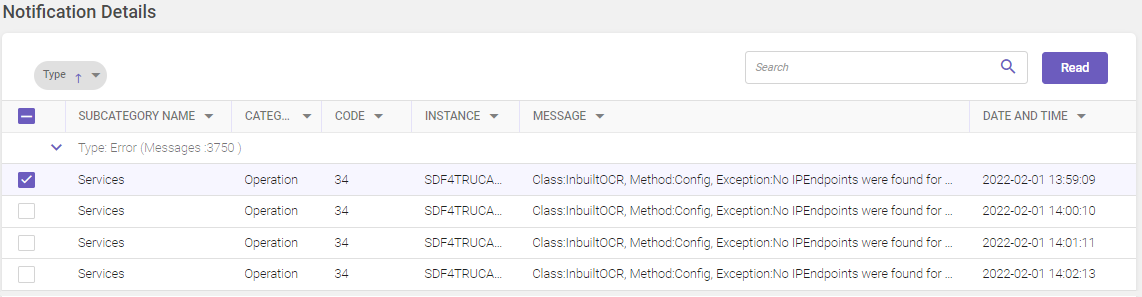
On the Notification Details page, select the required message. A Read button is displayed on the top-right corner of the page. Once you click the Read button, the selected message is removed from the list.
Note:
-
A user can view only the latest notification alerts.
-
The user's previously read notifications are removed from the list, and the list is updated with new notifications if any.
-
The notification alert can also be viewed on Operations dashboard screen.